vAST
viaNexus Agentic Service Technology
vAST is the agent-ready access layer for viaNexus financial data. It connects MCP clients, Financial Chat Agent, and SDK workflows to 30+ institutional datasets through one signed credential, with server-side dataset permissions built in.
one platform · every dataset · any agent
Works with leading LLM providers
 Gemini
 Claude
 ChatGPT
Agent SDK
Agent
SDK.
Open-source Python framework. Bring your LLM, bring your infra, write your code. MIT-licensed, Python 3.11+.
Unified factory for OpenAI, Anthropic, and Gemini. Built-in memory stores, persistent MCP sessions, automatic tool integration with the viaNexus MCP, OAuth + software-statement auth, full type hints.
Quickstart
Install via pip or uv. The factory auto-detects the LLM provider from your model name, so you can switch providers by changing one config value.
Install
# with uv (recommended)
uv add git+https://github.com/blueskynexus/viaNexus-agent-sdk-python --tag v1.0.0-pre14

# or with pip
pip install git+https://github.com/blueskynexus/viaNexus-agent-sdk-python@v1.0.0-pre14
Quickstart
from vianexus_agent_sdk.clients.llm_client_factory import LLMClientFactory

config = {
    "LLM_MODEL": "gpt-4o-mini",
    "LLM_API_KEY": os.getenv("OPENAI_API_KEY"),
    "agentServers": {
        "viaNexus": {
            "server_url": "https://vast-mcp.blueskyapi.com",
            "server_port": 443,
            "software_statement": os.getenv("VIANEXUS_JWT"),
        }
    },
}

client = LLMClientFactory.create_client(config)
await client.initialize()
response = await client.ask_question("Get Tesla's latest earnings")
await client.cleanup()
SDK walkthrough Build a news agent Register, install, ask, verify permissions.
01 / 05
Register a software statement
From your viaNexus account, request a software statement with the dataset patterns this agent can reach. For a news agent, include EDGE:MT_NEWSWIRES*.
The API returns a signed JWT. The SDK presents that JWT during MCP OAuth registration, and the MCP server enforces those permissions server-side.
Request
curl -X POST "https://api.blueskyapi.com/v1/agents/register?token=$VIANEXUS_API_TOKEN" \
      -H "Content-Type: application/json" \
      -d '{"expiresIn":"1h",
           "permissions":{"include":["EDGE:MT_NEWSWIRES*"]}}'
Response
{
  "success": true,
  "softwareStatement": "eyJhbGciOiJSUzI1NiIs..."
}
Save it as VIANEXUS_JWT in your env.
Install the SDK
One install pulls the framework, the MCP client, and the OAuth handler. No additional setup, no separate auth library.
Python 3.11+. We recommend uv for speed, but pip works just as well.
Recommended
uv add git+https://github.com/blueskynexus/viaNexus-agent-sdk-python \
   --tag v1.0.0-pre14
Or with pip
pip install git+https://github.com/blueskynexus/viaNexus-agent-sdk-python@v1.0.0-pre14What You Get
LLMClientFactory, persistent MCP session manager, OAuth handler, three memory backends, full type hints.
Wire the agent
One config dict. Pick a model, drop in the JWT from step 01, and let the factory wire up OAuth, MCP, and tool integration for you.
Switch providers later by changing the model name, the factory auto-detects Anthropic, OpenAI, or Google.
Auto-wired tools
The factory registers search and fetch with the LLM. Claude decides when to call them.
news_agent.py
from vianexus_agent_sdk.clients.llm_client_factory import LLMClientFactory
import os, asyncio

config = {
    "LLM_MODEL": "claude-3-5-sonnet-20241022",
    "LLM_API_KEY": os.getenv("ANTHROPIC_API_KEY"),
    "system_prompt": "You are a financial news analyst.",
    "agentServers": {
        "viaNexus": {
            "server_url": "https://vast-mcp.blueskyapi.com",
            "server_port": 443,
            "software_statement": os.getenv("VIANEXUS_JWT"),
        }
    },
}

async def main():
    client = LLMClientFactory.create_client(config)
    await client.initialize()
    answer = await client.ask_question(
        "What did Powell say about rates this week?"
    )
    print(answer)
    await client.cleanup()

asyncio.run(main())Run it
The SDK presents your software statement to the auth server, gets a scoped access token, opens an MCP session, and exposes search + fetch to Claude.
Claude decides when to call them. The agent loop runs until the answer is ready, then closes the session.
Run
$ python news_agent.pyWhat happens, in order
search and fetch registered with Claudesearch for Powell rate-related newsfetch for the matching articlesTry the boundary
Ask about REPORTED_FINANCIALS: the MCP returns a permission error for CORE:REPORTED_FINANCIALS. Your software statement only allowed news, so the call is rejected server-side.
Extend without redeploying
Subscribe to a fundamentals dataset later? Issue a new software statement with a broader permissions.include list.
Reconnect or refresh the client with the new statement. Code stays the same. The auth flow stays the same.
Add a dataset
Issue a new statement with broader permissions.
permissions: {
  include: [
    "EDGE:MT_NEWSWIRES*",
    "CORE:REPORTED_FINANCIALS:*"
  ]
}
Swap providers
Change one config key.
"LLM_MODEL":
  "gpt-4o-mini"
# → OpenAI auto-detected
Persist memory across runs
client = LLMClientFactory.create_client_with_memory(
    config, memory_type="file", path="./agent.db"
)
The auth flow is unchanged. New permission patterns, new providers, new memory backends, all behind the same SDK config shape.
SDK internals Runtime architecture Providers, memory, sessions, tools, methods.
LLM Providers
Three major providers, one unified interface. The factory detects the provider from the model name (or you can set it explicitly). Switching providers is a config change, no code rewrite.
OpenAI
GPT · o-series
GPT-4, GPT-4o, o1.
Detect: gpt-*, o1-*
Anthropic
Claude
3.5 Sonnet, 3 Opus, 3 Haiku.
Detect: claude-*
Gemini
2.5 Flash, Pro, more.
Detect: gemini-*
Switch providers without code changes
# Auto-detect from model name
config["LLM_MODEL"] = "claude-3-5-sonnet-20241022"   # → Anthropic
config["LLM_MODEL"] = "gemini-2.5-flash"             # → Gemini
config["LLM_MODEL"] = "gpt-4o-mini"                  # → OpenAI

# Or pin explicitly
client = LLMClientFactory.create_client(config, provider="anthropic")
Memory Architecture
Three memory modes, picked per agent. Memory is session-isolated by user_id so multi-tenant deployments don’t cross-contaminate, and the same store works across all three providers.
Tier 01
DefaultIn-memory
Session-only. Lost on restart.
with_in_memory_store()
Tier 02
PersistentFile-based
Persists across restarts. Multi-day analyst sessions.
with_file_memory_store(path)
Tier 03
NoneStateless
No history. One-shot lookups, batch jobs.
without_memory()
Per-call memory control
response = await client.ask_question(
    "What is Apple's market cap?",
    maintain_history=True,    # keep in current session context
    use_memory=True,           # persist to / load from store
    load_from_memory=True,     # hydrate prior conversation
)
Cross-provider memory: a conversation started with Claude can be continued with GPT-4o, the store is provider-agnostic. Useful for cost optimization (cheap model for triage, premium for synthesis) without losing context.
Persistent Sessions
For long-running conversations, the persistent client keeps a single MCP session alive across many queries. The MCP handshake (discovery, registration, OAuth, introspection) happens once instead of per-request, lower latency, lower load on the auth server.
Single MCP handshake
OAuth once at session start. Tool calls reuse it.
Maintained context
Pair with file memory for multi-day sessions.
Health checks
is_connected, mcp_session_id for monitoring.
Auto-establish
auto_establish_connection=True for auto-reconnect.
Long-running portfolio session
client = LLMClientFactory.create_persistent_client(config)
await client.initialize()

session_id = await client.establish_persistent_connection()

r1 = await client.ask_with_persistent_session(
    "Analyze AAPL recent performance",
    maintain_history=True, use_memory=True,
)
r2 = await client.ask_with_persistent_session(
    "Compare it with MSFT",
    maintain_history=True, use_memory=True,
)

await client.close_persistent_connection()
await client.cleanup()
MCP Tools, Auto-Wired
No special setup. Every client created through the factory automatically registers viaNexus MCP tools (search, fetch) with the LLM. The model decides when to call them; the SDK routes calls through the MCP, applies dataset permissions, and returns structured data.
client = LLMClientFactory.create_client(config)
await client.initialize()

# The LLM decides when to call MCP tools, no manual orchestration
response = await client.ask_question(
    "Get Tesla's latest earnings and calculate key financial ratios"
)
# 1. LLM calls `search` to find the right dataset
# 2. LLM calls `fetch` to retrieve earnings rows
# 3. LLM analyzes the data and computes ratios
# 4. Returns the synthesized answer
The agent only sees datasets your software statement allows. Same dataset-permission model as the MCP service, the SDK is a thin client over it.
Method Reference
All clients implement the same interface regardless of provider. Persistent clients add session lifecycle methods on top.
| Method | Use case |
|---|---|
| initialize() | Set up MCP connection. Required before any query. |
| ask_single_question(q) | One-shot query, no history. Quick lookups. |
| ask_question(q, ...) | Flexible query with history / memory toggles. Most common. |
| process_query(q) | Streaming output with maintained history. Real-time UIs. |
| cleanup() | Tear down connections. Required at shutdown. |
| establish_persistent_connection() | Persistent client, open long-running MCP session. |
| ask_with_persistent_session(q, ...) | Persistent client, query within the open session. |
| close_persistent_connection() | Persistent client, close the session cleanly. |
What You Can Build
The SDK is general-purpose. Three concrete patterns, each plugs into the same MCP server, and the permission layer limits access to what its software statement allows.
News agent
A focused news brain.
Software statement scoped to MT Newswires, CityFalcon, or both, nothing else. Drop-in for apps that need a single-purpose news layer.
Fundamentals agent
Reported financials only.
Knows reported financials, normalized statements, EPS forecasts, nothing about news or pricing. The narrowest possible scope, full depth.
Custom Financial Chat Agent
Your own Financial Chat Agent.
Same kind of full-coverage agent we productize as Financial Chat Agent, on your own infra, your own LLM, your own memory layer, your own UI. The SDK gives you the pieces; you assemble.
Next Steps
The SDK code is free and MIT-licensed. To reach data you need a viaNexus account, software statements are issued from your account, and the MCP server only serves agents whose statements it can validate.
GitHub repoFeatured demo
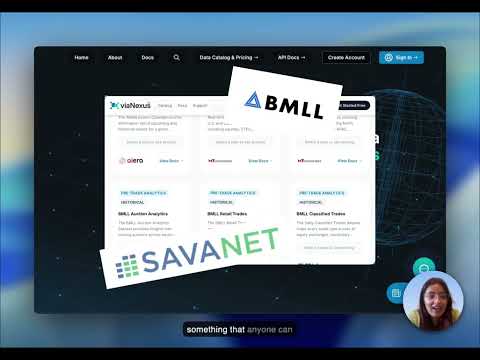
Live Market Dashboard & Death Cross Alert
30+ datasets, OpenBB workspace, Paygentic billing, in minutes.
Latest from the blog
View all →Financial Data: A New Stack Is Emerging
Building dashboards and AI agents on 30+ institutional datasets through one API.
Reinventing Fundamentals: Standardization, Done Properly
How viaNexus + SavaNet turned XBRL chaos into structured financial schema.
Building an Earnings Season Navigator
Combining six viaNexus datasets into one earnings dashboard.
viaNexus + MCP = The Easy Button for AI
How MCP makes financial data accessible to any AI agent.
Start building.
14-day free trial. No credit card. Connect to 30+ financial datasets through your AI in under two minutes.
Or jump to the MCP quickstart if you already have an account.