vAST
viaNexus Agentic Service Technology
vAST is the agent-ready access layer for viaNexus financial data. It connects MCP clients, Financial Chat Agent, and SDK workflows to 30+ institutional datasets through one signed credential, with server-side dataset permissions built in.
one platform · every dataset · any agent
Works with leading LLM providers
 Gemini
 Claude
 ChatGPT
MCP service
MCP
service.
Drop the endpoint into Claude, Cursor, ChatGPT, or your own app. The agent gets search and fetch wired to your subscribed datasets.
Quickstart
There are two MCP endpoints, depending on what data you need. Both authenticate against the same viaNexus account.
Choose your tutorial
Set up the universal viaNexus MCP in Claude
https://vast.blueskyapi.com/vianexus/mcp
Set up the MT Newswires MCP in Claude
https://vast.blueskyapi.com/mtnewswires/mcp
viaNexus MCP Universal connector setup Full catalog connector for Claude.
Add the custom connector
Open Claude → Customize → Connectors → click + → Add custom connector. Paste the viaNexus endpoint and click Add.
Endpoint
https://vast.blueskyapi.com/vianexus/mcp
Click Connect, sign in
Find viaNexus MCP in the Not connected list and click Connect. The OAuth popup opens. Sign in with your viaNexus email + password.
That’s it. You’re done.
Signed in successfully? You’re connected. Skip ahead to step 05 to start asking.
Need ideas? Try a pre-built Claude skill or watch a demo.
No account yet? Click Sign up, then continue to step 03.
Hitting issues? Reach out to us.
Sign up, create your account
Click Sign up on the OAuth popup. Fill in your details and click Create your account.
Pick a plan or trial
After creating your account, the OAuth popup hands off to a subscriptions page. Start the free trial or pick the plan and datasets you want for this connector. Existing users with an active subscription can skip this step; otherwise add datasets in the console.
Start asking questions
New chat → + → Connectors → toggle viaNexus MCP on. Claude now has access to whatever your subscription includes, nothing more, nothing less.
Want more datasets? Browse the full catalog and add subscriptions in your viaNexus console or jump to the catalog section.
MT Newswires MCP News connector setup News-only connector for Claude.
Add the MT Newswires connector
In Claude: Customize → Connectors → Browse connectors. Search for MT Newswires and add it.
Sign in
Adding the connector in step 01 takes you straight to the OAuth popup, no extra Connect click. Sign in with your viaNexus email + password.
Signed in successfully? You’re connected. Skip ahead to step 05 to ask for the news.
Need ideas? Try a pre-built Claude skill or watch a demo.
No account yet? Click Sign up, then continue to step 03.
Create your account
Fill in your details and click Create your account. Skip this step if you signed in with an existing viaNexus account.
Pick a plan or trial
Choose a viaNexus plan or continue on the free trial. Skip this step if you signed in and already have an active subscription.
Ask for the news
New chat → + → Connectors → toggle MT Newswires on. Real-time North America & Global headlines, in-line.
Want more than news? Add datasets in your viaNexus console, or use the universal viaNexus connector for the full catalog.
Other clients
Coming Soon
Cursor marketplace
One-click install for the viaNexus connector, bring-your-own API key.
Notify me →Coming Soon
OpenAI / ChatGPT
Same endpoint, same datasets. MCP support for the OpenAI platform is in active development.
Notify me →Any MCP client
Zed, custom apps
Anything that speaks MCP. Paste the viaNexus endpoint and handle OAuth via your client’s connector config.
Read the docs →Security
Lock
and key.
One signed credential starts the OAuth flow. Every access method uses the same token introspection and dataset-permission checks: MCP, Chat Agent, SDK.
The flow
YOUR AGENT
Software statement
Signed JWT
VIANEXUS AUTH
Token + scope
Identity verified
MCP SERVER
Scoped data
Permission checks
Access flow How token scope is enforced Statement, OAuth, introspection, scoped rows.
01 / 05
Agent gets a software statement
A signed JWT issued from your viaNexus account. It identifies the OAuth client and can carry dataset permission patterns such as EDGE:MT_NEWSWIRES*.
In the hosted sign-in flow, the console creates this for you after login. In the SDK flow, you can request one with your API token and pass it to the MCP auth server during registration.
Endpoint
POST https://api.blueskyapi.com/v1/agents/register?token=$VIANEXUS_API_TOKEN
Content-Type: application/json

{
  "expiresIn": "1h",
  "permissions": {
    "include": ["EDGE:MT_NEWSWIRES*"],
    "exclude": ["CORE:*"]
  }
}
What’s in the JWT
Contact, software ID, payload ID, optional dataset permission patterns, issued-at, expiry. The API token is stored server-side for the exchange; it is not embedded in the JWT.
Client registers, then starts OAuth
Standard OAuth 2.0 authorization code flow with PKCE. Dynamic client registration per RFC 7591 lets the client provide its software statement during registration, then continue through the normal authorize and token exchange.
Why PKCE
Protects the token exchange from interception even if the agent runs on a public client, browser, end-user device, or multi-tenant edge function.
OAuth shape
POST /register
{ "software_statement": "$VIANEXUS_JWT", ... }

GET /authorize?response_type=code
  &code_challenge=$PKCE_CHALLENGE

POST /token
grant_type=authorization_code
&code=$AUTH_CODE
&code_verifier=$PKCE_VERIFIER
RFC 7591
Dynamic client registration, no pre-registration step.
RFC 7636
PKCE binds the request to a one-time verifier.
Server returns a scoped access token
Short-lived. The MCP auth server stores the API-service token and dataset permission patterns with the OAuth token, then exposes them through token introspection.
When permissions are present, the MCP service filters dataset discovery and dataset fetches server-side before anything reaches the agent.
Subscription change == zero redeploy
The client can keep the same code. To change dataset access, issue a new software statement or update the subscription/permissions behind the token flow.
Token introspection payload
{
  "active": true,
  "client_id": "client_...",
  "scope": "user",
  "aud": "https://vast.blueskyapi.com/vianexus/mcp",
  "api_service_token": "pk_...",
  "contact": "analyst@example.com",
  "dataset_permissions": {
    "include": ["EDGE:MT_NEWSWIRES*"]
  },
  "exp": 1746615262     // 1h TTL
}Agent calls the data plane with the token
MCP request, SDK call, or Financial Chat Agent invocation, all three rely on the same token introspection path. The data plane authenticates the token, reads dataset permissions, and only exposes matching datasets.
Server-side enforcement
The agent never sees a row it doesn’t have rights to. There is no client-side filter to bypass.
Allowed call
POST /mcp/tools/search
Authorization: Bearer $ACCESS_TOKEN

{ "product": "EDGE", "dataset_name": "MT_NEWSWIRES", "symbols": "AAPL" }

200 OK  → matching news rows
Out-of-scope call (refused server-side)
POST /mcp/tools/fetch
Authorization: Bearer $ACCESS_TOKEN

{ "product": "CORE", "dataset_name": "REPORTED_FINANCIALS", ... }

error → "Permission denied for dataset CORE:REPORTED_FINANCIALS"Tokens expire, clients refresh
Access tokens expire after 1 hour. Refresh tokens last longer, and SDK clients handle refresh behind the scenes when the OAuth flow has issued one.
Software statements are signed, time-limited handoff artifacts. Rotate or reissue them when you want a new permission set.
Lifecycle
Rotate permissions
POST /v1/agents/register?token=$VIANEXUS_API_TOKENIssue a new statement with a tighter permissions object, then reconnect the client with that statement.
What vAST Enforces
Direct consequences of the auth model. Every access method inherits all three.
-
01
Credentials
No leaked credentials.
The agent only ever holds a signed statement and a short-lived token. No API keys to leak, no rotating-secrets runbook.
-
02
Permissions
Server-side permission enforcement.
Dataset permissions are enforced server-side by the MCP service. Change the permissions behind the statement or subscription, reconnect or refresh the client, and the agent code does not need to change.
-
03
Scope
Per-agent scoping.
One statement per agent deployment. A news-only agent gets a news-only catalog. The agent never sees what its dataset permissions do not allow.
Featured demo
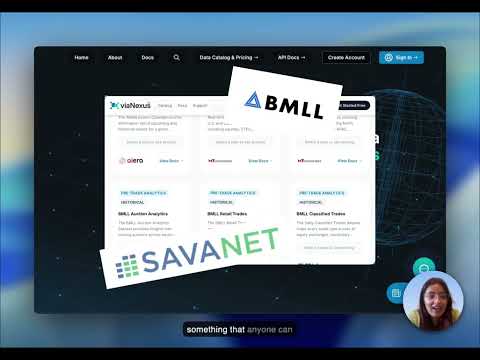
Live Market Dashboard & Death Cross Alert
30+ datasets, OpenBB workspace, Paygentic billing, in minutes.
Latest from the blog
View all →Financial Data: A New Stack Is Emerging
Building dashboards and AI agents on 30+ institutional datasets through one API.
Reinventing Fundamentals: Standardization, Done Properly
How viaNexus + SavaNet turned XBRL chaos into structured financial schema.
Building an Earnings Season Navigator
Combining six viaNexus datasets into one earnings dashboard.
viaNexus + MCP = The Easy Button for AI
How MCP makes financial data accessible to any AI agent.
Start building.
14-day free trial. No credit card. Connect to 30+ financial datasets through your AI in under two minutes.
Or jump to the MCP quickstart if you already have an account.